 |
|
GOOGLE EARTH - A TRIAL Version 6 of Google Earth is now available. It is interesting because it incorporates street view as in various Google Maps but with the added feature that "the Orange figure" can be lifted onto anywhere and will give you ground-level view, whereever you want, plus a reasonable representation of hills and valleys ahead. When starting Google Earth, or returning to the conventional aerial view from ground-level view, please note that keying in "r" will return the view to perpendicular and "n" will bring north to the top. Google Earth uses quite a bit of internet bandwidth. Blisworth is fairly well endowed with broadband speed (2011) at about 5Mb - plenty for this work. If Google Earth is hesitant or just plain slow use this link to gauge your current broadband speed. Please contact me with your level of success and your reactions to this alternative way of presenting information. This is just a trial and the first mapped item is the Hill Horse-drawn Railway that was used to connect two halves of the Grand Junction Canal (1800-1805) while the tunnel was being finished. There are also some archeological data on the map.
Link to an activation file that
will be downloaded and
Link to Archive
Pages on the Hill Railway The activation file is named GEmap.kml in case you have to search for it. |
|
3D
in Google Earth Version 6
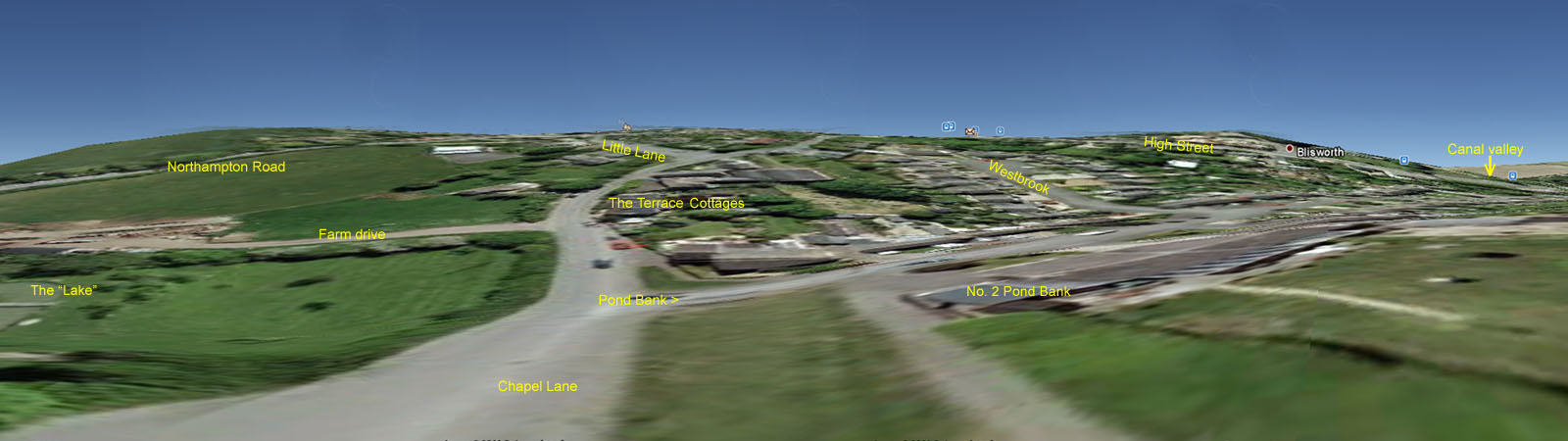
Not for everyone, this - but if you have version 6 you can place the Street View orange figure anywhere you like. Turn off the display of the railway and contour lines in Temporary Places, switch to full screen view and explore. In Tools/Options I increased the height exaggeration a little. The figure below was obtained by sweeping across the field of view and recording the screen four times. Then the four images were combined in a panorama software - just fooling about! Maybe there is a serious use for this software (apart from locating shops in a long High Street) and that's assessing the scenes at remote resorts before arranging the holiday. |
|